01 — Overview
A companion to telemedicine
Noteworth Messenger was one of the first features clients were promised before it was ever built. As a companion to telemedicine, I was brought in to design the messenger experience — starting from a rough concept and turning it into something shippable.
02 — The "Research"
Working from secondhand requirements
My only real input came from the CEO, who relayed what Geisinger wanted — I had no direct access to users. A handful of non-negotiables came out of those conversations:
03 — Competitive Analysis
Three products, three lessons
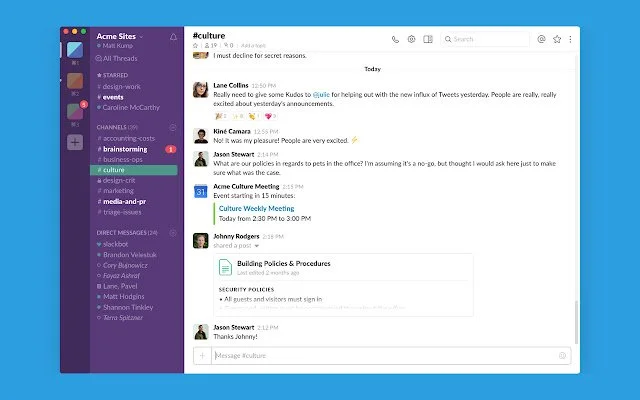
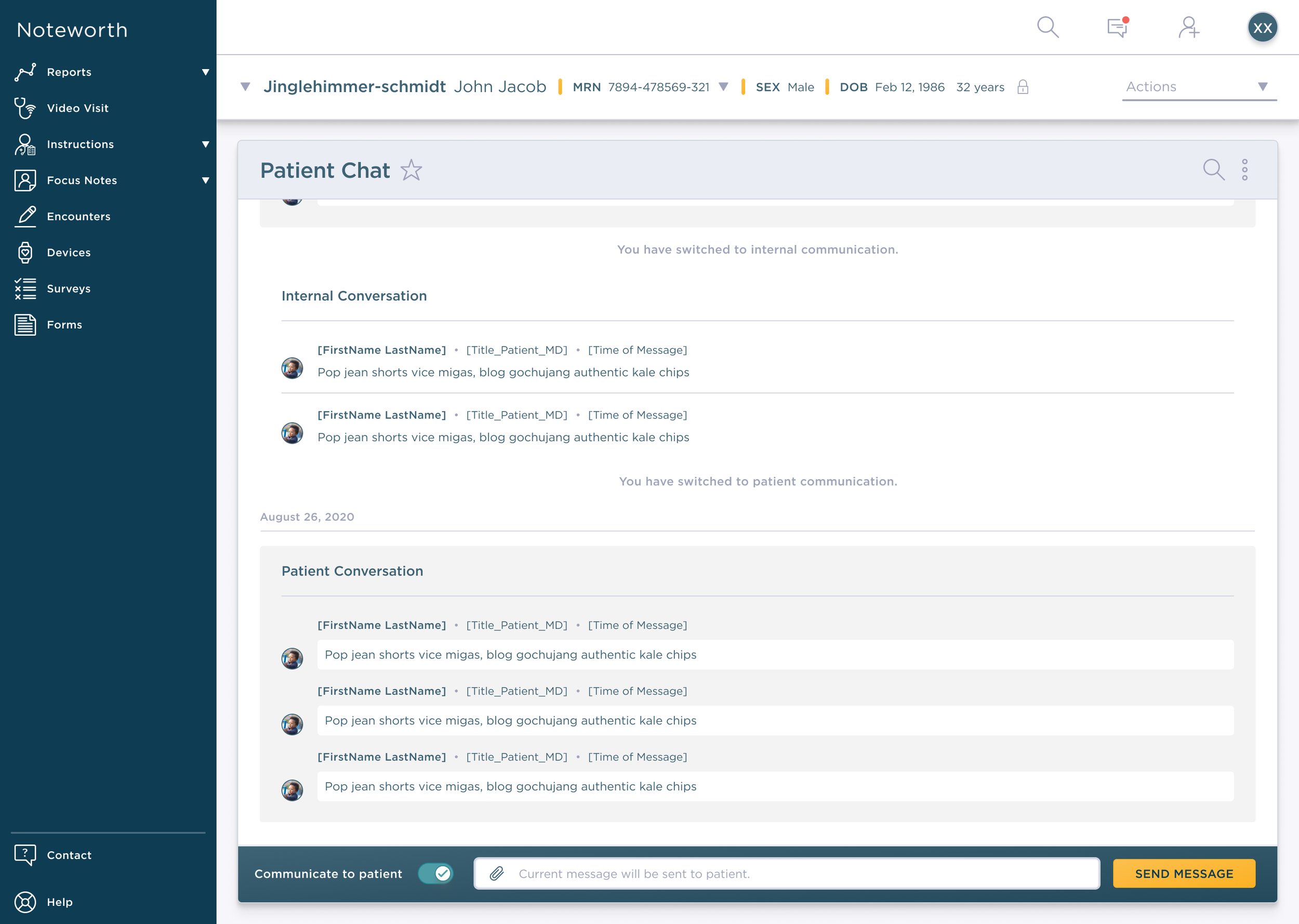
The legacy tool (built before I was assigned) was Slack-inspired: one single window, with the patient thread differentiated only by a gray background. Toggling between audiences triggered a banner — "You have switched to internal/patient communication" — but that banner was the only real signal of who'd receive your next message.
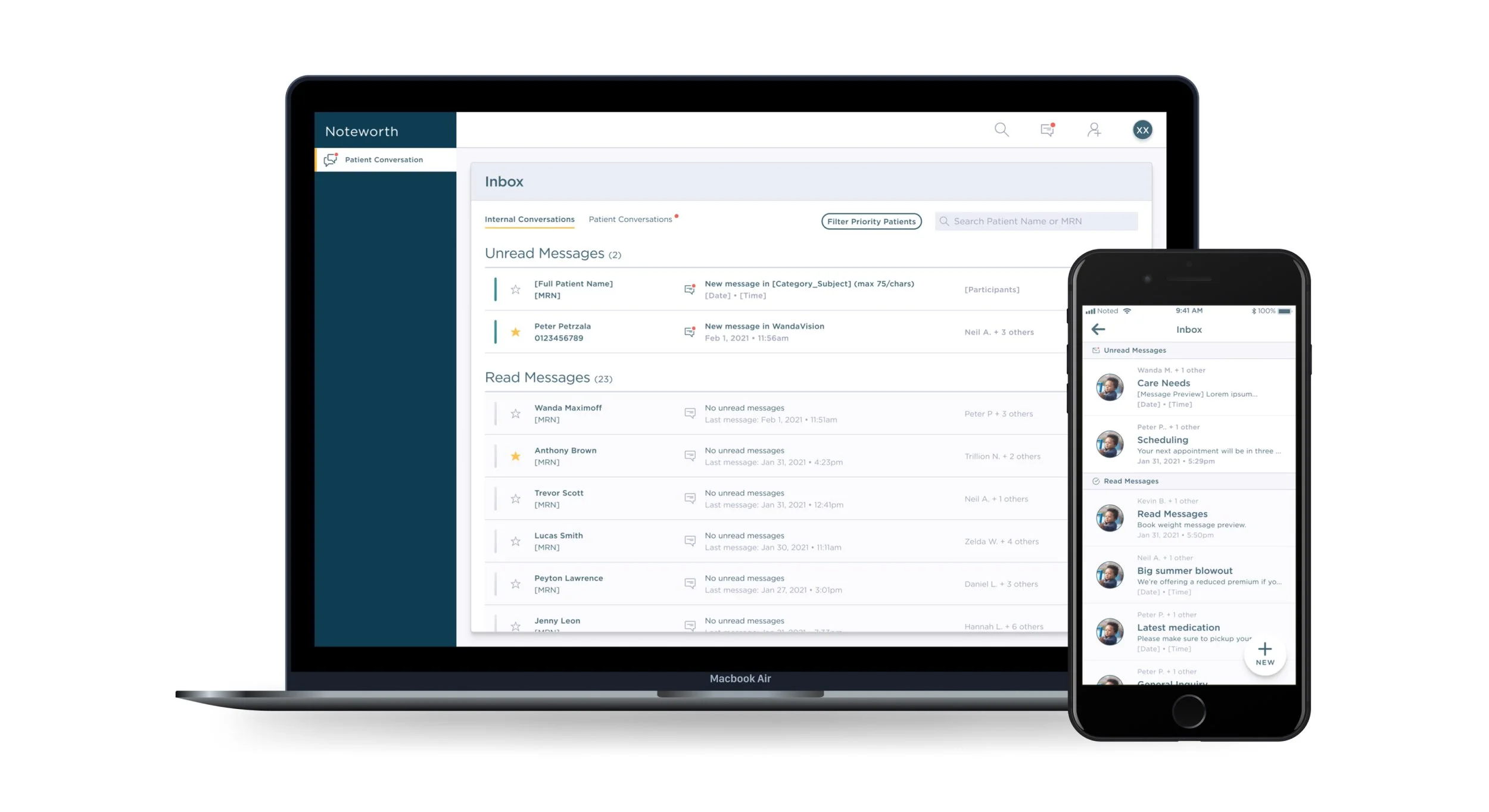
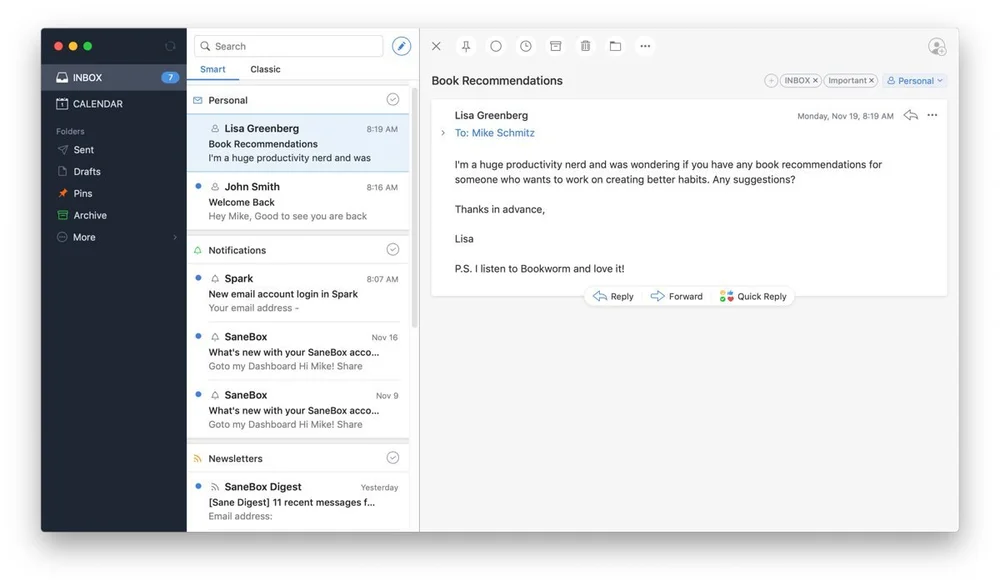
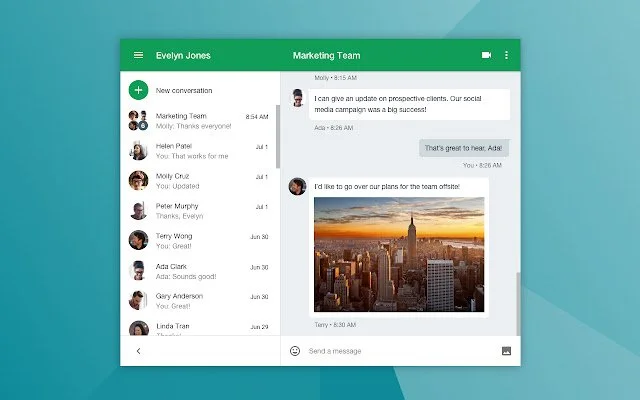
Outlook and Gmail shaped the inbox layout and scan pattern.
Gmail and Hangouts informed the general chat interface early on.
It was easy to find indirect competitors handling multi-thread or dual-audience messaging — Facebook Messenger, WhatsApp, Slack, Hangouts — but genuinely difficult to find any clinician-focused messaging examples at the time. A few common patterns from these apps ended up shaping what I borrowed:
04 — Design Exploration
The legacy tool, and my first attempt at fixing it
Here's the legacy tool I inherited — one window, a gray background marking the patient thread, and a banner confirming whichever mode you'd toggled into:
My first attempt to redesign it pushed the threading further, rather than rethinking the toggle itself: a dropdown built into the message box let you pick "To Patient" or "To Internal" per submission, with each becoming its own thread — teal for patient, gray for internal — and a separate reply box per thread.
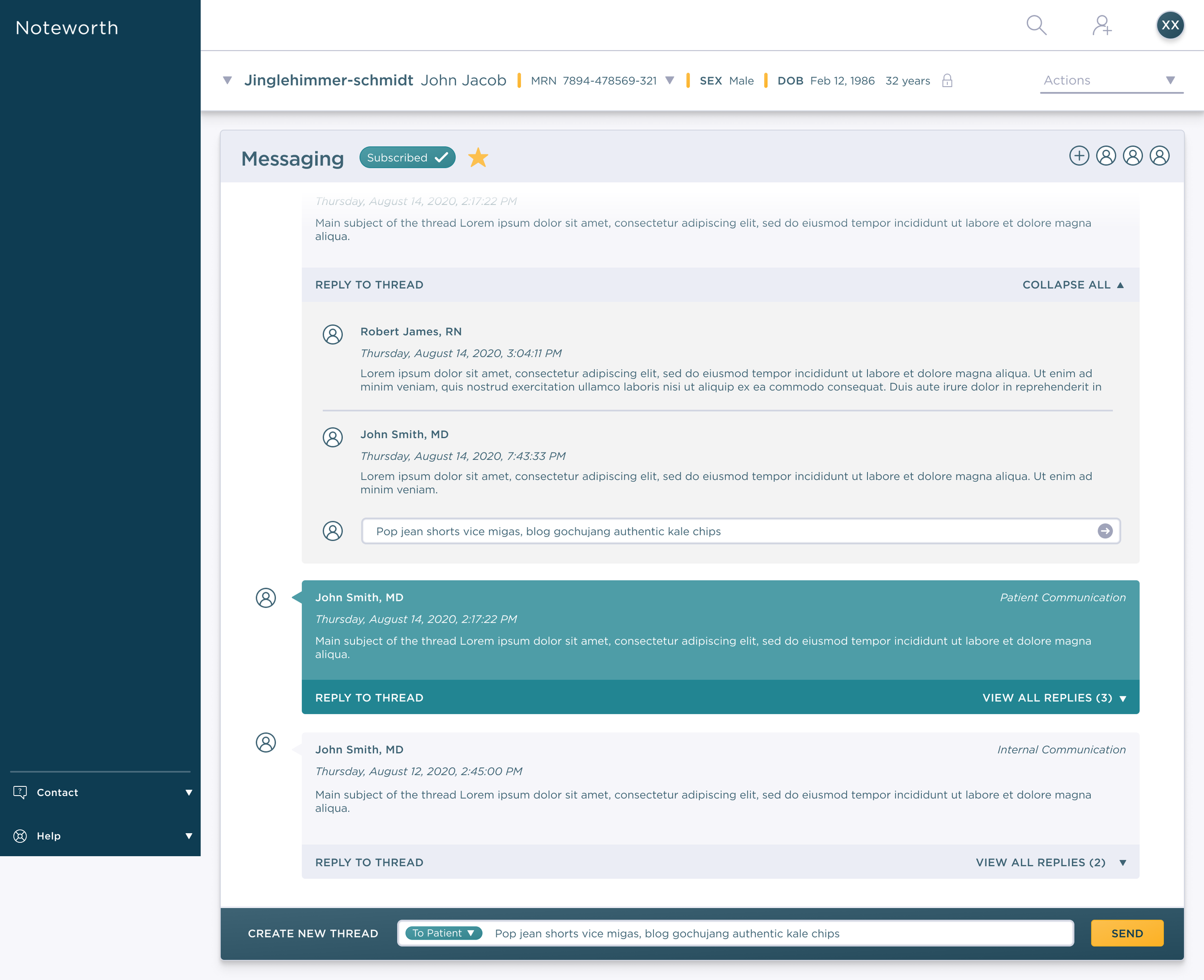
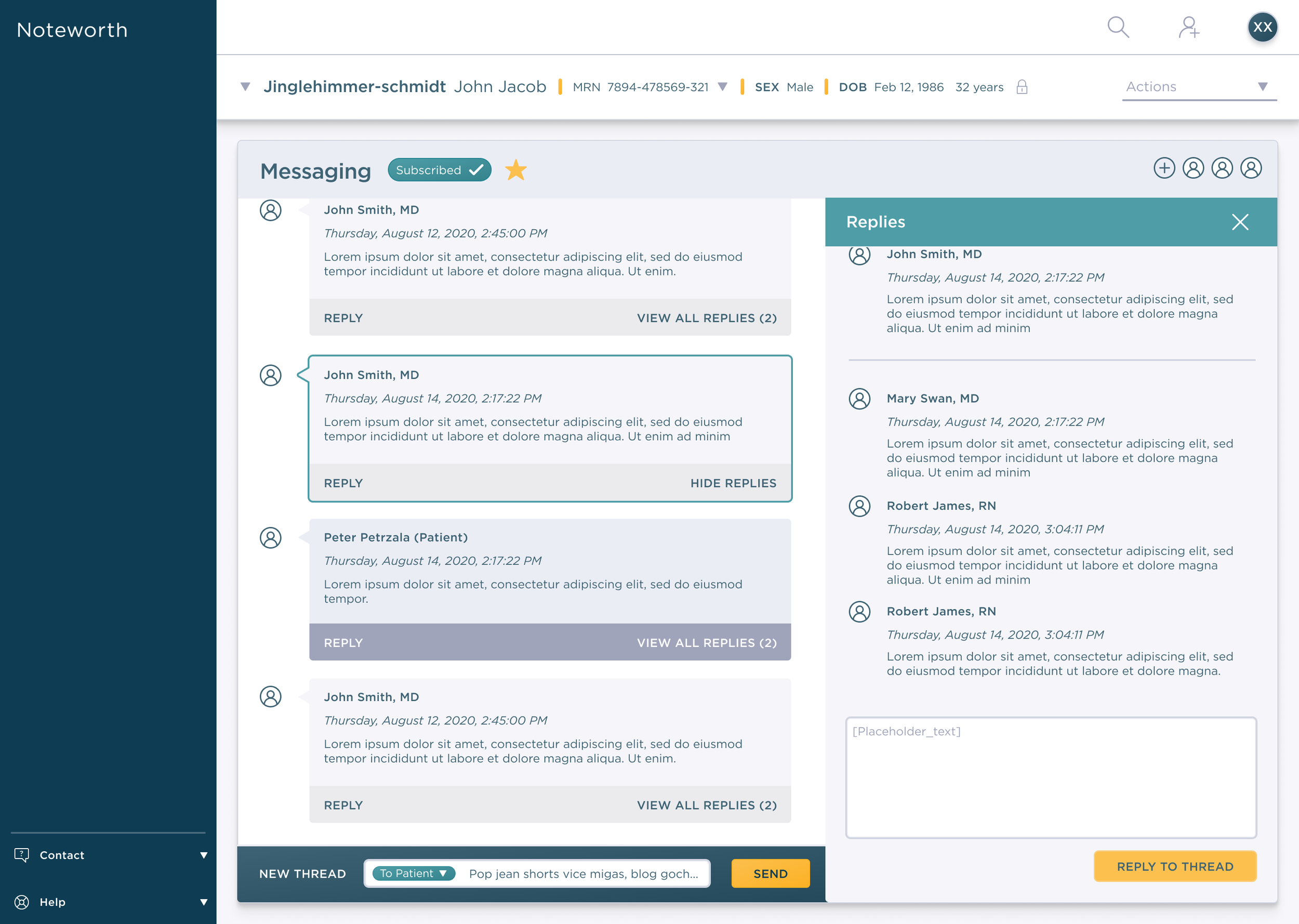
The CEO rejected this outright.
05 — Curveball
Solving the wrong problem
In hindsight, my first attempt solved the wrong problem — I'd made the threading more sophisticated, but audience selection was still one dropdown click away from being wrong, the same underlying risk as the toggle before it.
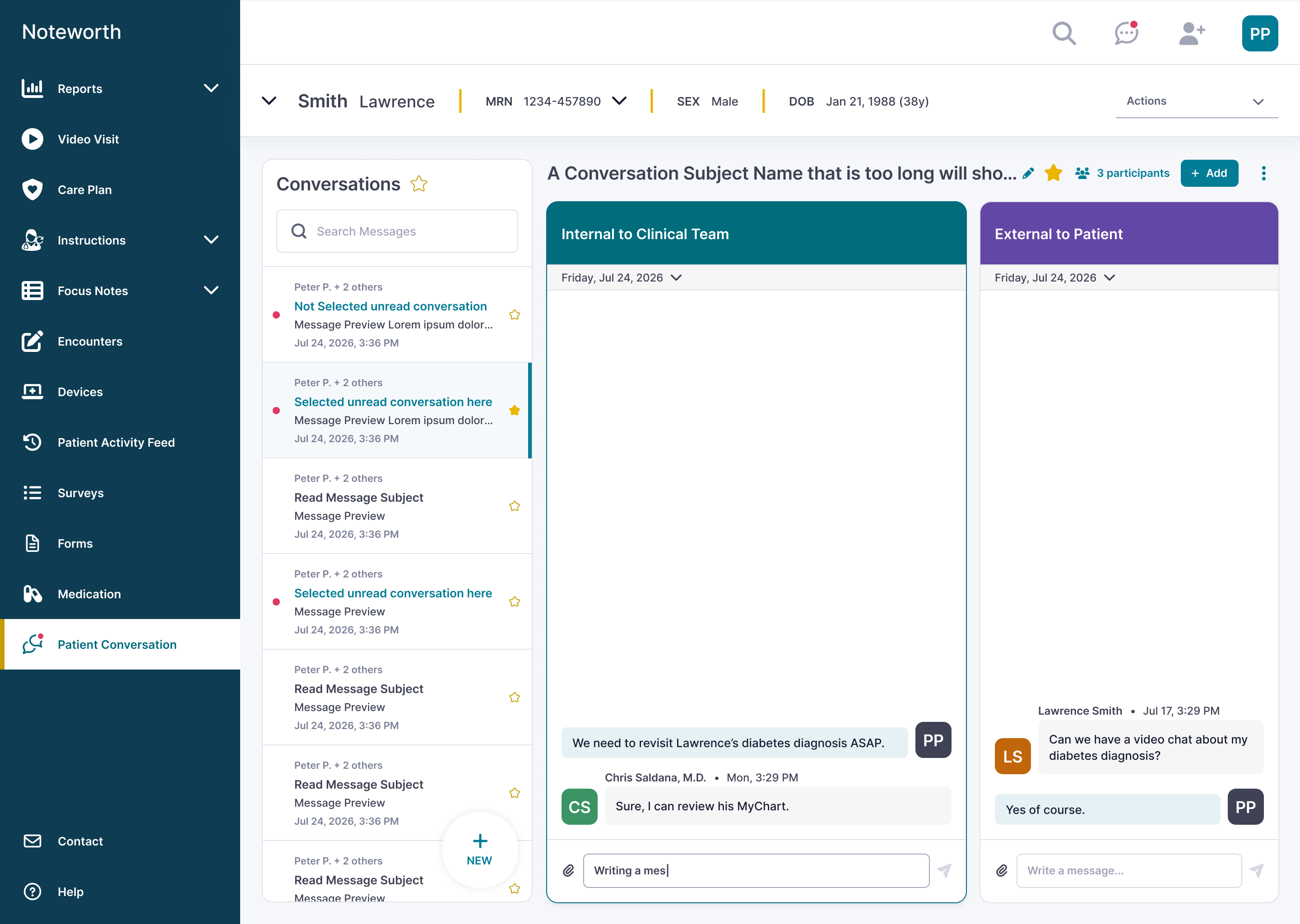
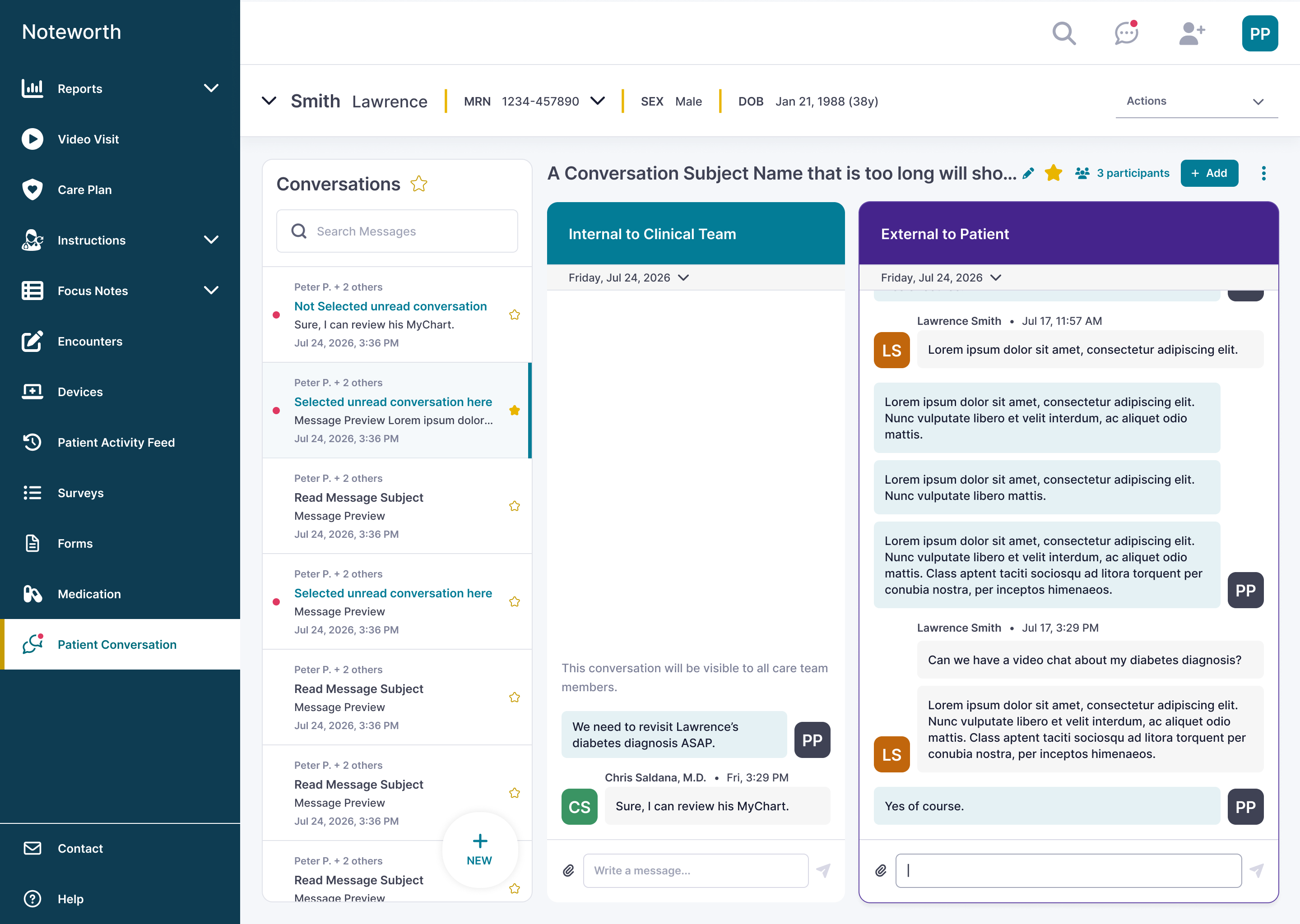
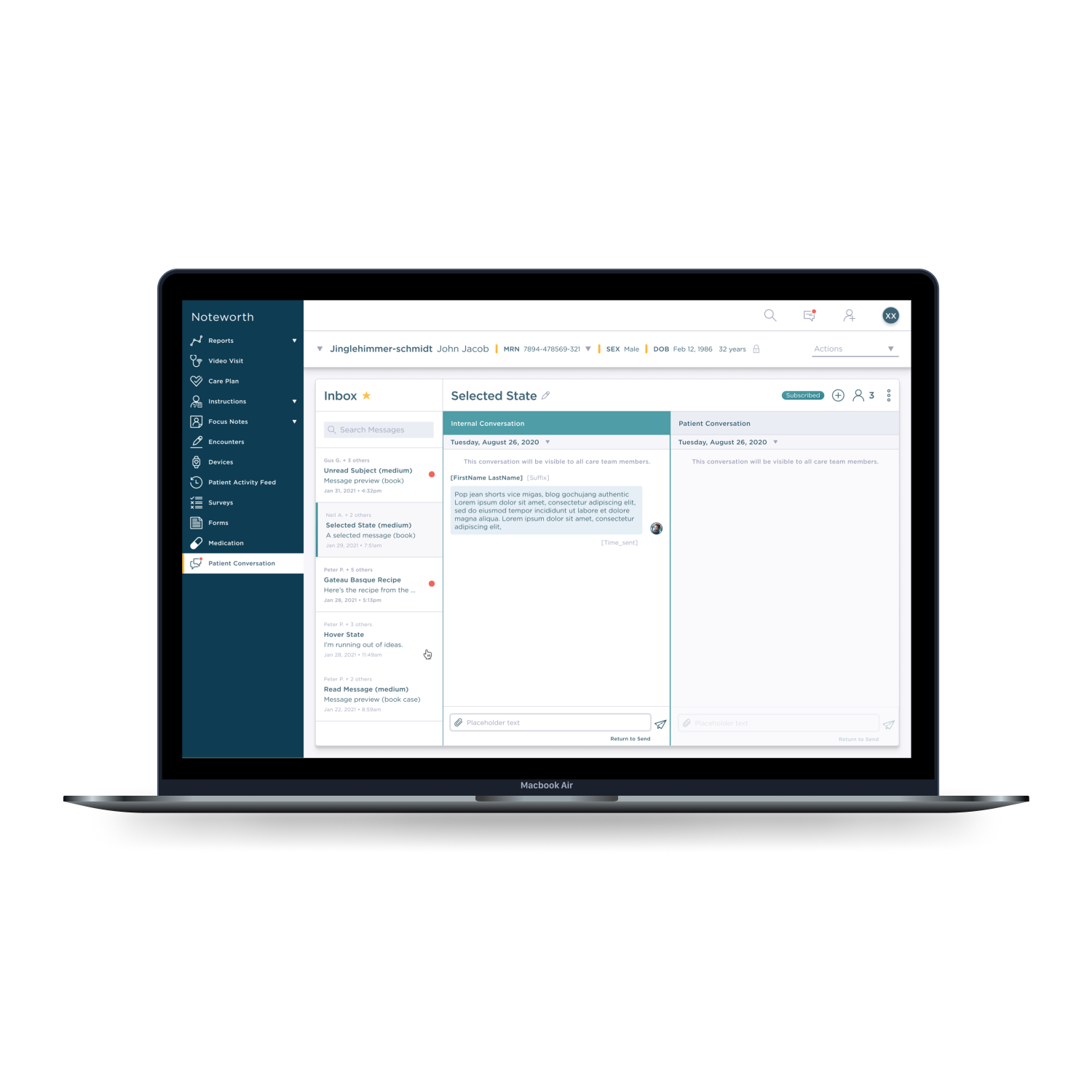
What the CEO actually needed: internal and external conversations visible at the same time — not toggled, not threaded together, and not split across separate pages either. I went back to Gmail/Hangouts with that constraint specifically in mind, this time focused on its pop-out windows — chats that stay visible no matter where else you are in the product. That's what led to the side-by-side layout.
06 — QA + Internal Testing
What broke once real hands touched it
Noteworth employees tested the shipped version before rollout. Key feedback:
- Can't click global inbox line items
- Photo sent from iPhone is distorted and cropped
- Spacing is very off
- Hover states aren't working
- No way to save an edited subject
- Organization of conversations isn't clear
- Message preview doesn't update
- Patient inbox list is hard to scan
This feedback is exactly what the redesign further down responds to.
07 — Challenges
Two audiences, two platforms, one hard constraint
Designing for two audiences — patient and internal care team — across two platforms — desktop and mobile — with the internal/external split as a hard requirement: no separate pages, and no losing your place in either conversation.
08 — Messaging
What shipped
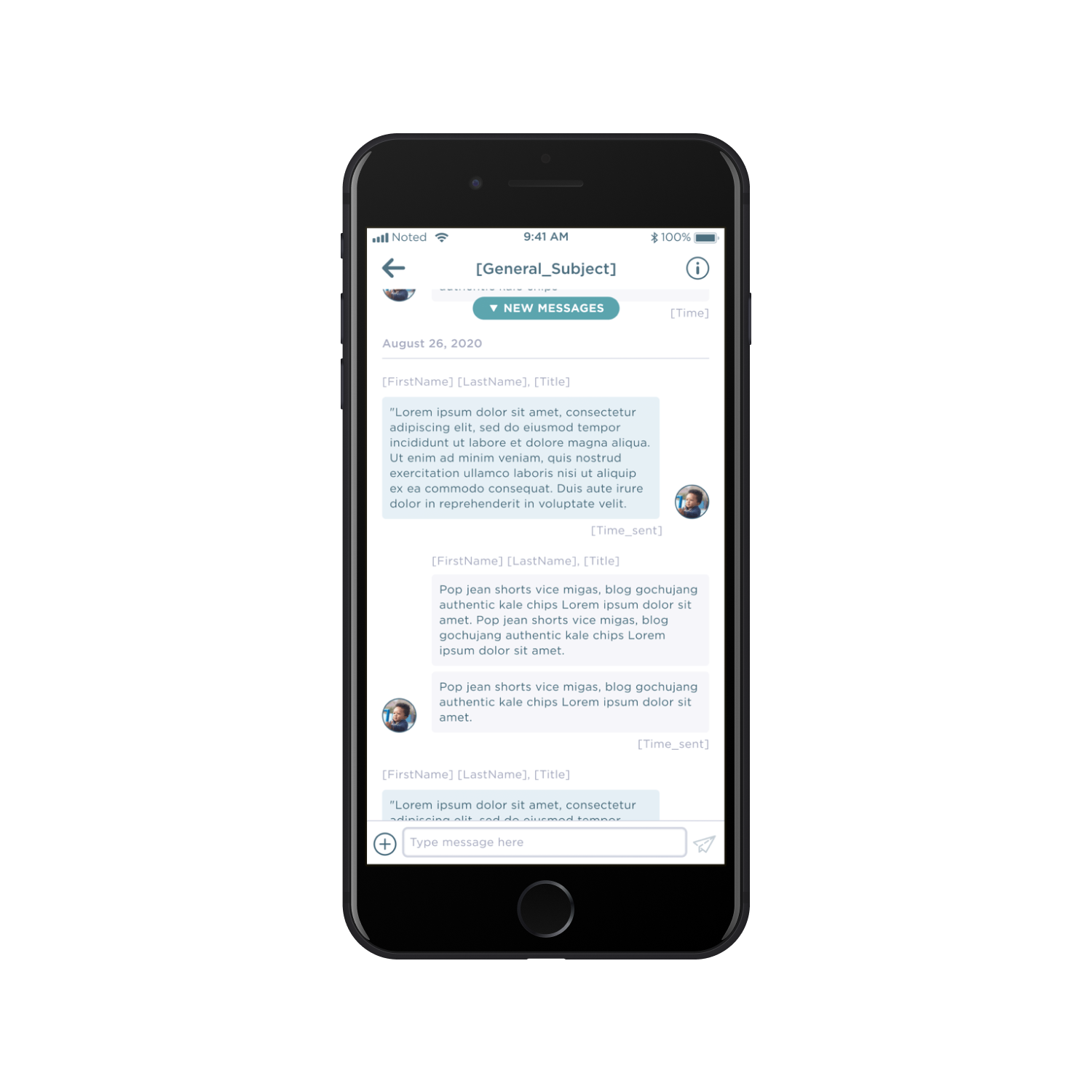
The mobile view is what the patient sees — one simple conversation, no toggling. The desktop view is what the clinician sees — internal and external threads side-by-side, so they can reference one without losing the other.
09 — Impact
What we heard
Noteworth shut down not long after this shipped, so I don't have adoption metrics to point to. What I do have is direct feedback from Geisinger, our client at the time.
Geisinger found this to be extremely beneficial. They can reference certain areas of patient conversation and not lose their place when messaging with internal teams. Geisinger, Client Feedback