01 — Overview
Overview
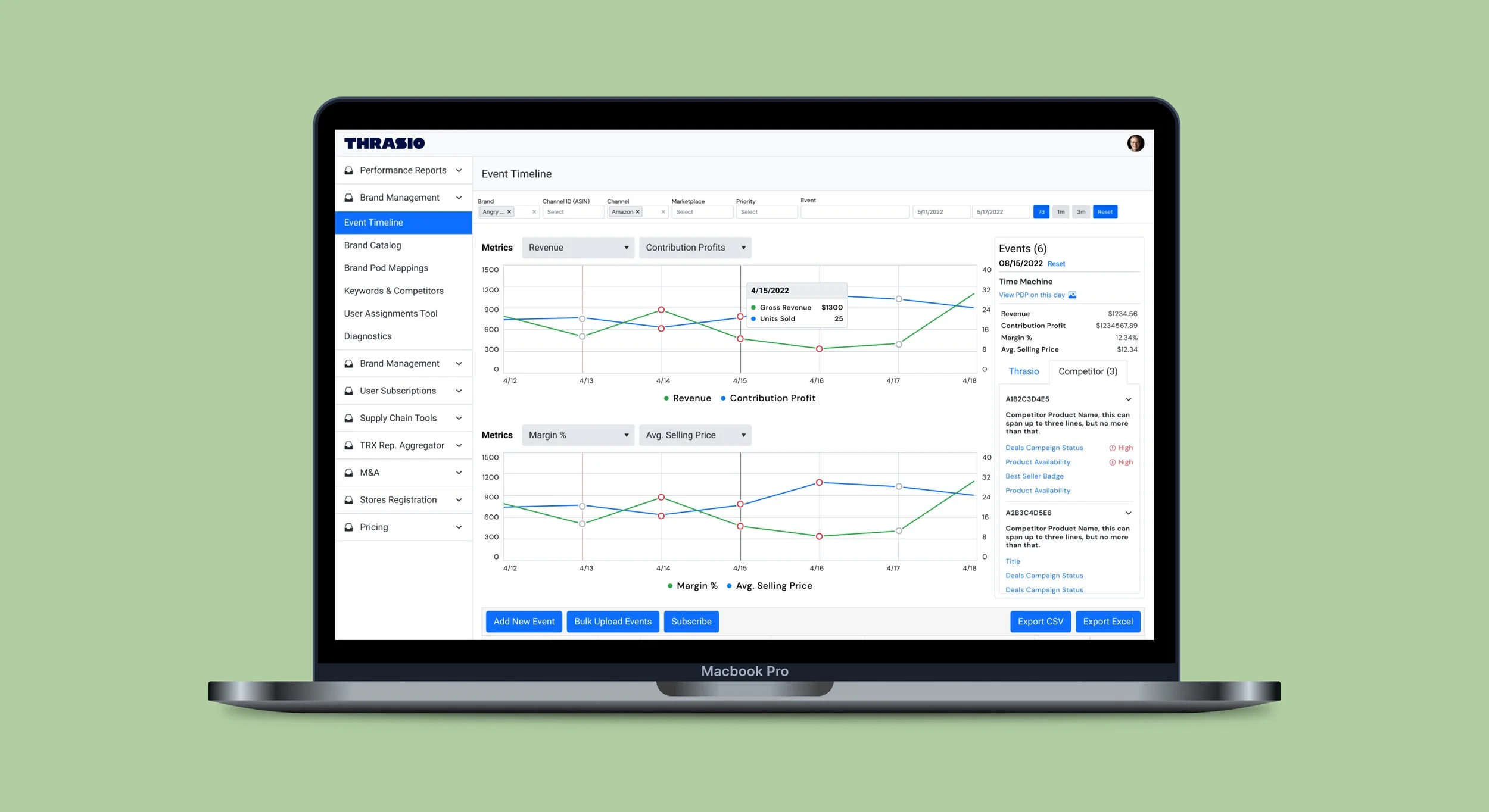
Event timeline is a tool I took over after v0 was pushed live. My goal was to make this tool better and visually clearer for our brand managers to make their workflows easier. Sure it took multiple iterations, but in conjunction with an amazing product manager and dev team, we finally landed on a design that helped our brand managers save time rather than needing to use multiple tools, such as Keepa, in a day for the same information.
02 — MVP: The Minimum Viable Product
MVP: The Minimum Viable Product
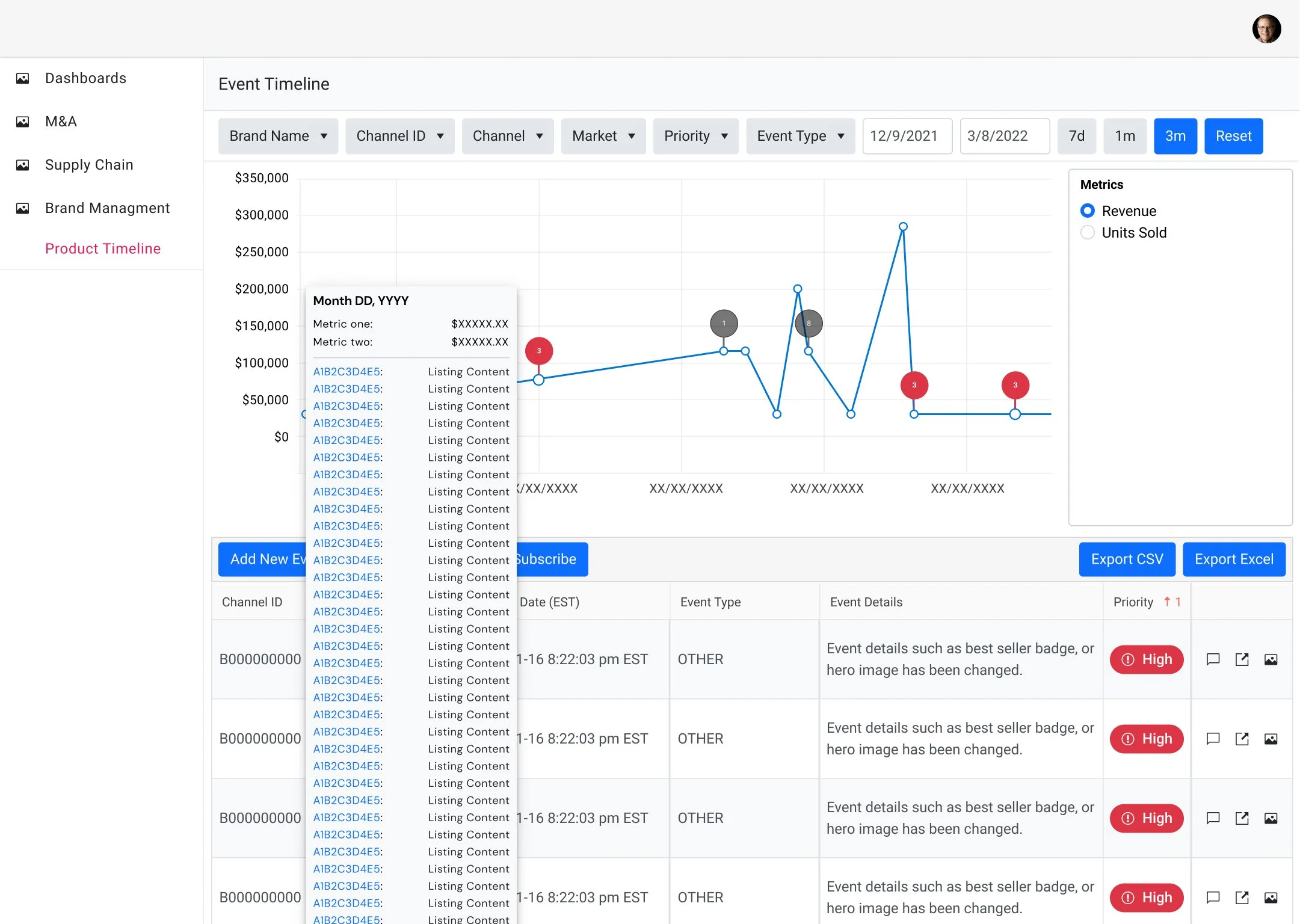
When this tool first got to me, the event timeline tool had limited features. It was a start but ultimately did not help brand managers reduce the time spent finding key metrics needed in their day-to-day.
- Graph with only two selectable metrics (in a box w/ too much space)
- Hover state showing selected metric and all events happening that day
- And a table with more detailed information
03 — Pain Points
Pain Points
One thing I wish we did more of as designers is speak to the people that use our product and tools - it's something I didn't get to do too much in past jobs. I think it ultimately depends on the product manager and their own goals. Some PMs just want to deploy something as fast as possible. And I get it, but that's not the right way to do things.
Speaking with some of the brand managers after the first version went live, there are three obvious pain points many of them had with the initial design of the tool, which I list below, as well as what changes we implemented to help with those needs.
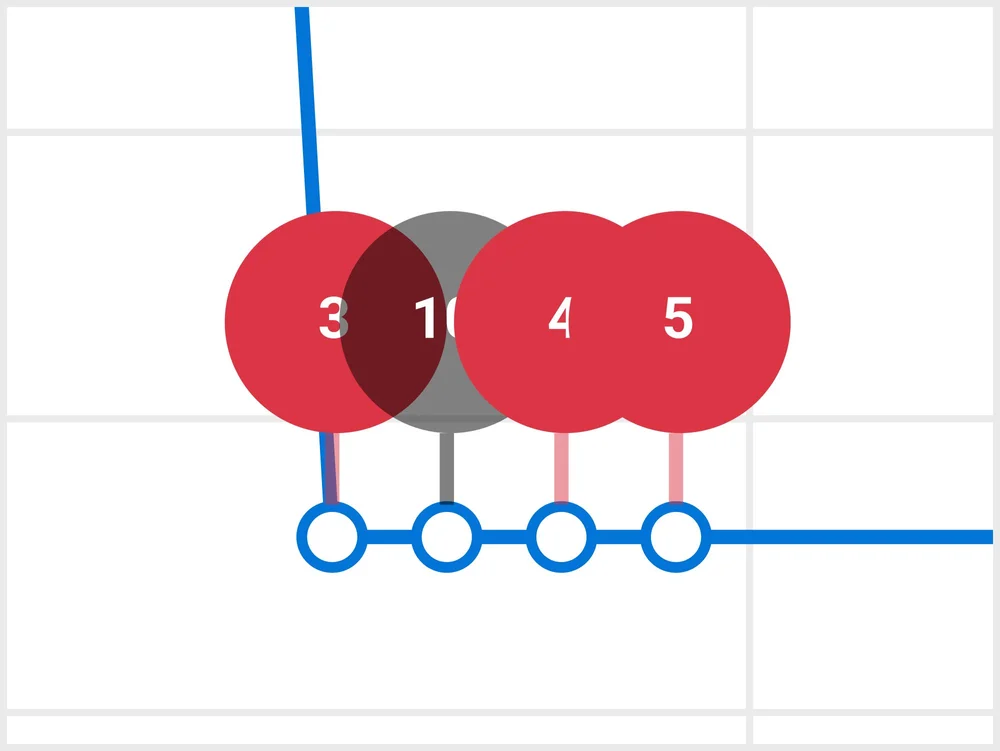
Problem: Bubbles above the data points became overwhelming when viewing more than a 7-day span, making it impossible to see how many events there were. This also affected the hover interaction.
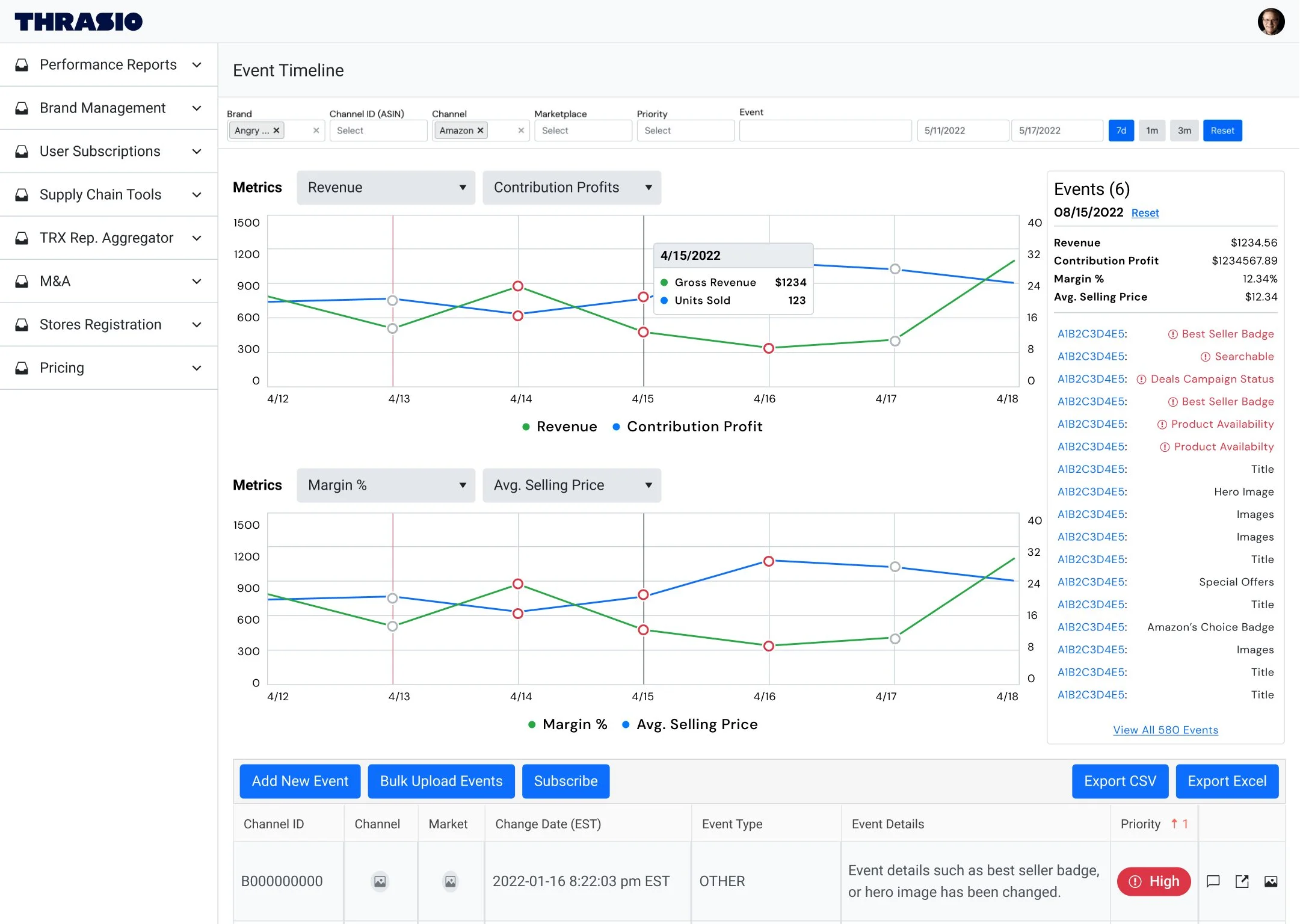
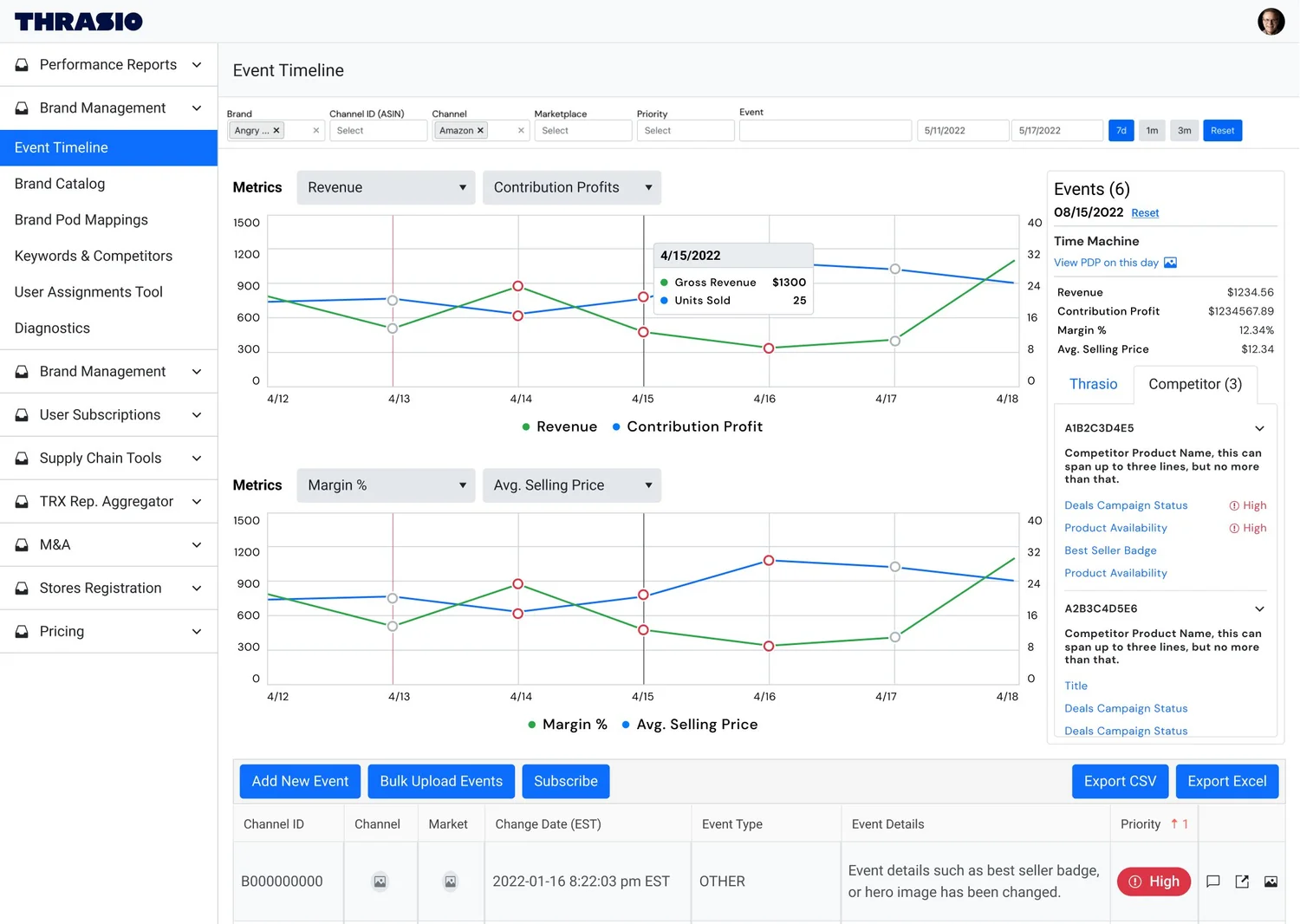
Solution: We removed the big red bubbles in the graph and altered the color of the small circles instead. Gray indicates regular events, while red indicates high-priority events*.
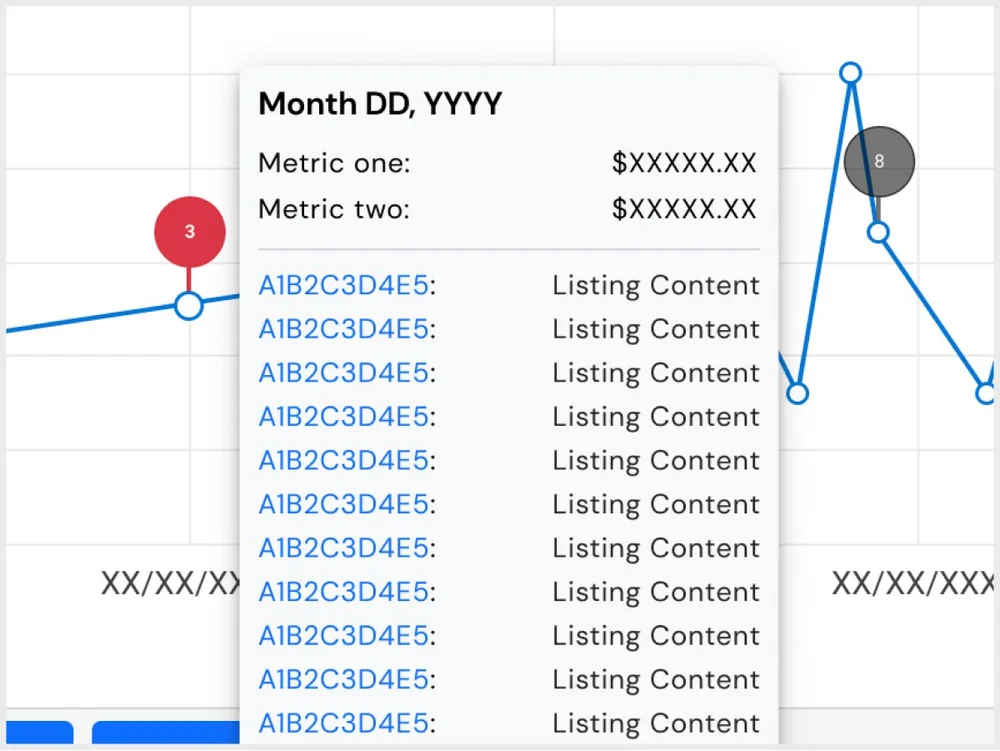
Problem: The events hover state got very long, way past the fold. The interaction then becomes wonky and hard to highlight or click within the hover box, especially if a manager needed to copy any data.
Solution: Replace the metrics box with an events box for high-level information. Hover will no longer show a tooltip box with events. We also moved the metric selector above the charts.
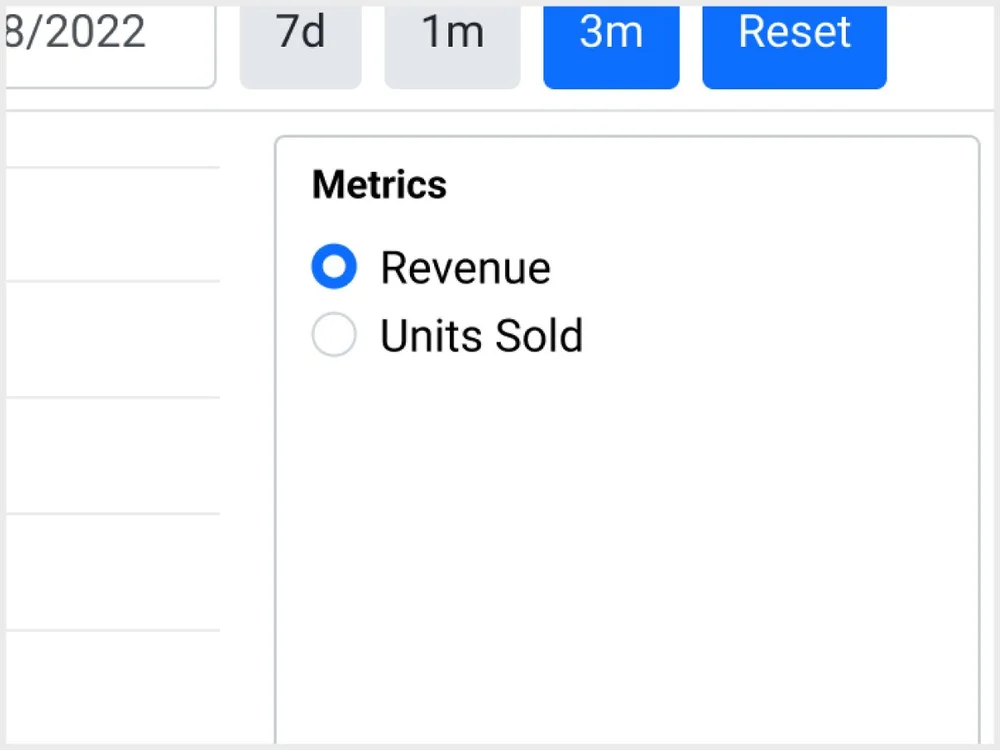
Problem: Revenue and units sold are not metrics that brand managers particularly care to track compared to those offered in other tools. Seeing one metric at a time also did not reduce the time spent on their day-to-day workflows.
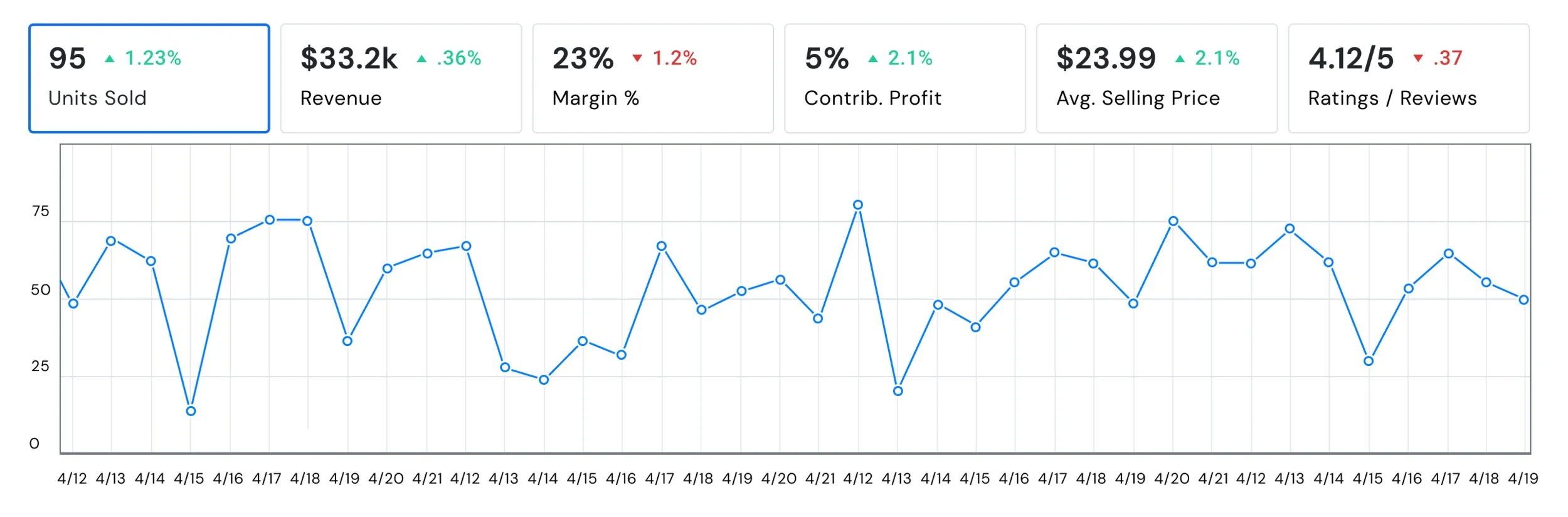
Solution: We introduced additional metrics. We also gave brand managers an additional chart with the ability to choose two metrics per chart.
*High priority events can impact a sale of our product, including: best seller badges and availability, to name a few.
04 — Challenge
Challenge
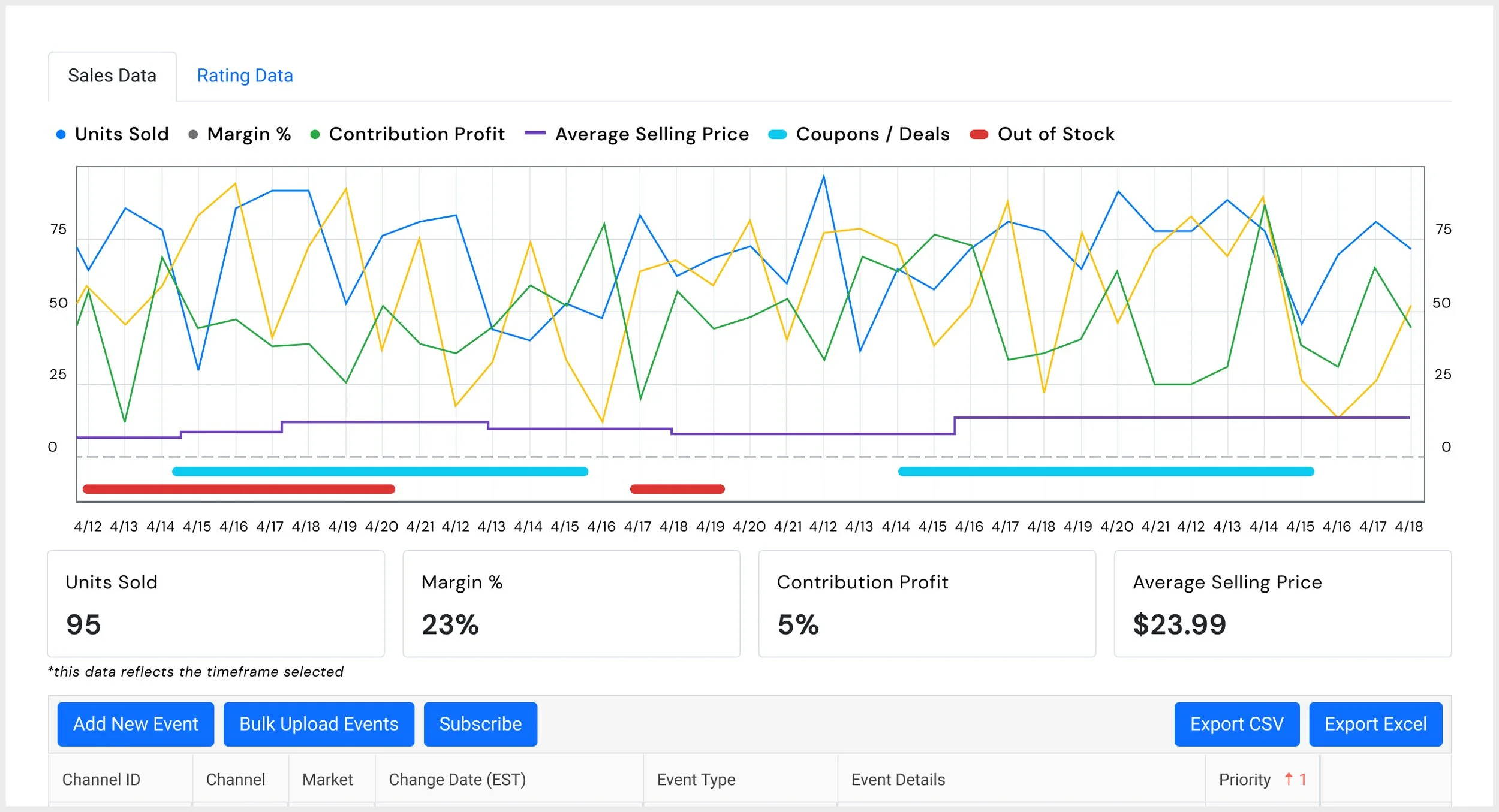
One of my personal challenges was from a request that I strongly disagreed with in designing. I was asked to stuff multiple metrics into one graph (think 4+) because brand managers wanted to see more than just one. It became very convoluted and stuffed. Very difficult to scan and when asked, brand managers all had a different "starting point" when asked what information they see first. It just was not beneficial to anyone involved. The much better approach was to hone it in and let brand managers select which two metrics they wanted to see at a given time.
05 — v1 goes live
v1 goes live
I used key insights from our users, as well as a comparative analysis to support enhancement solutions for our event timeline tool. After several iterations, the updates made the tool easier to use and navigate, including:
- Cleaner and easier to scan overall
- New + multiple metrics per chart
- Simplified hover state
- Organized high-level information
With this new design, the data is manageable and easier to scan. But wait, there's more…
06 — Additional Enhancements
Additional Enhancements
We are able to link competitors to specific products in our ecosystem. One of the most valuable enhancements is the ability to see certain competitor events in our events box. These events are scrubbed daily, but limited to what is public.
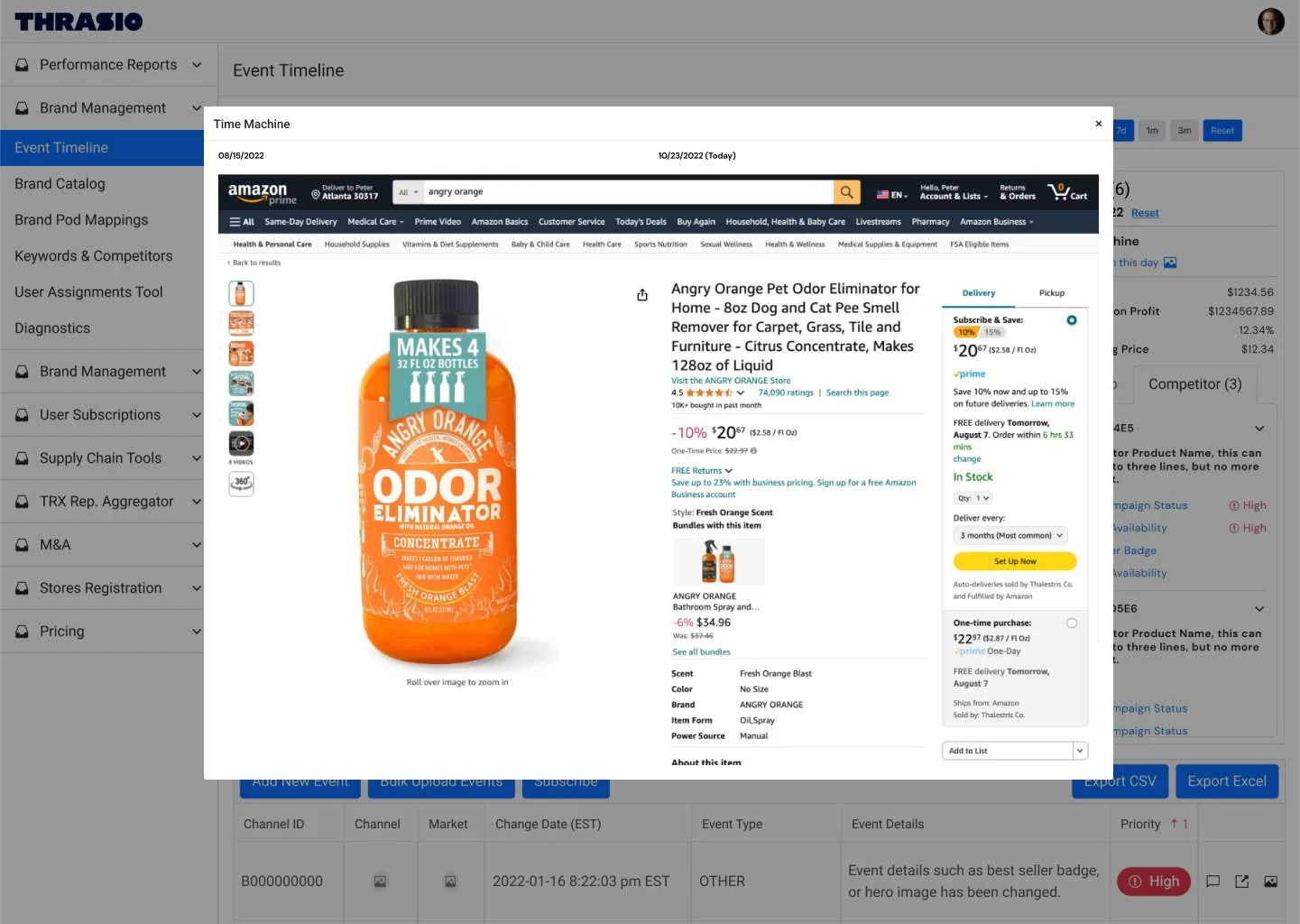
This addition in the events box allows a user to compare what an Amazon listing looked like on any given day. For example, a brand manager can see what the listing looked like back on April 15 to compare the page then vs today.
Brand managers were able to receive alerts on specific or all historical events for both their assigned product and the competitor ASIN, if desired.
Due to the nature of our tools, all data has been replaced with placeholder data.